 Candelina
Import Birthdays from Telegram to iPhone
By Candelina · Updated
Use Candelina to read birthdays visible in your Telegram contacts’ profiles. See what the import can find and why some dates may be missing.
Step by step
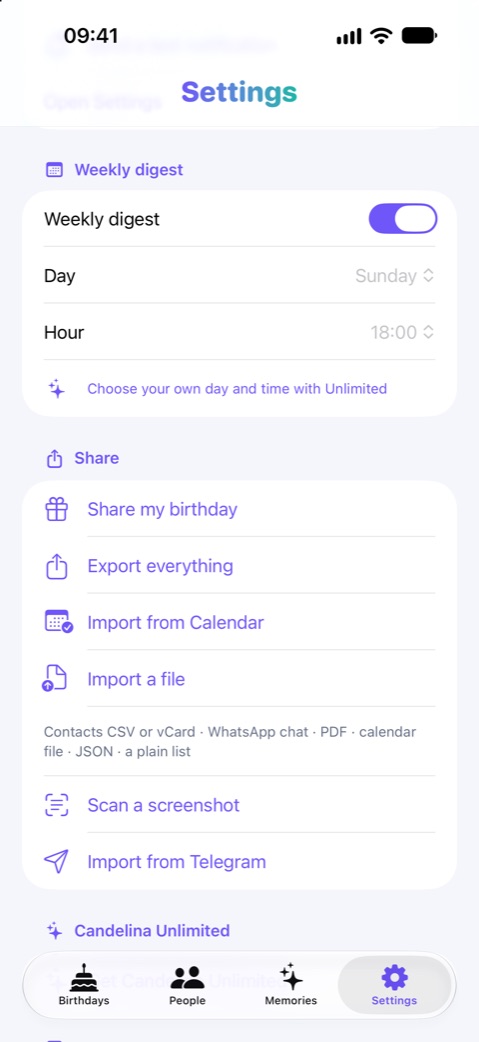
- Open Import from Telegram in Candelina. This requires a build with Telegram import configured and a network connection.
- Sign in on your device using the phone number and code requested by Telegram. If your account uses two-step verification, complete that step too.
- Choose Import birthdays and wait for the contact scan. Large contact lists can take time; if Telegram asks you to wait, follow the displayed delay.
- Review the found, added and duplicate counts. Check the imported dates in Candelina. The import session signs out after the operation.
What to know
The importer reads profile birthdays accessible to your Telegram account. It cannot recover hidden or absent dates, and it does not infer birthdays from arbitrary chat history. Adding the discovered birthdays requires Unlimited.
A practical example
If a friend is missing, ask whether their birthday is visible to you in Telegram. You can instead collect the date with a shared link or enter it manually. A missing date is not a reason to keep repeating the scan.
Related guides
Collect Friends’ Birthdays with One Link
Collect birthdays through a shared link instead of asking each friend separately. Bring the replies into your Candelina birthday list.
Import Birthdays from Files and Screenshots
Bring birthdays from a CSV, vCard, PDF or screenshot into Candelina. Review recognised names and dates before adding them to your list.
Birthday Reminders on iPhone: Setup Guide
Set up birthday reminders in iPhone Contacts and Calendar, choose alert times, and check why a birthday or notification is missing.